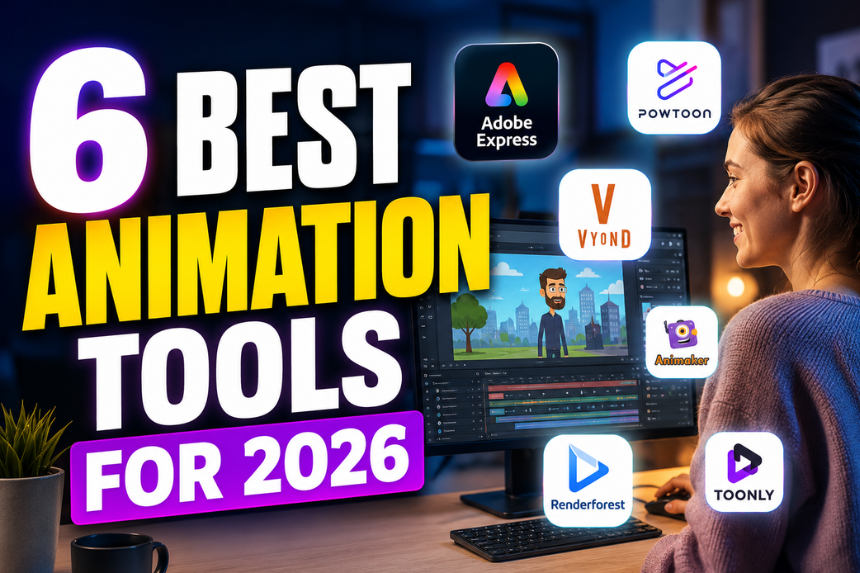
This guide evaluates six animation tools based on direct testing of their character customization depth, custom audio support, export formats, and pricing, drawing on each platform’s own feature documentation rather than secondary write-ups. We looked specifically at how each of these animation tools handles custom audio and character options for creators who want something user-friendly rather than professional software with a steep learning curve. Six tools made the cut after evaluating character library size, audio upload and voiceover support, template variety, and how far each free tier goes before hitting a paywall. Adobe Express comes out on top overall because it pairs the most user-friendly interface among these animation tools with a deep character and custom audio library.
Comparison at a Glance
| Tool Name | Free Tier Available | Platform | Best For | Template Count / Design Assets | Standout Feature |
| Adobe Express | Yes | Web, iOS, Android | Social media creators making short animations with custom audio tracks | 1,000+ animation templates, 500+ characters | Custom audio upload with a royalty-free music library of 100,000+ tracks |
| Powtoon | Yes | Web | Marketing teams creating short animated explainer videos with branded characters | 1,500+ templates | Custom audio track upload plus text-to-speech voiceover in more than 40 languages |
| Vyond | No | Web | Corporate training teams building character-driven explainer videos | 9,000+ template scenes | Character Builder with thousands of pose, outfit, and expression combinations plus lip-sync audio matching |
| Toonly | No | Web | Course creators producing cartoon-style business explainer videos | 200+ cartoon characters, 190+ backgrounds | Lip-sync audio matching timed to a custom uploaded voiceover track |
| Animaker | Yes | Web | Small business owners producing animated social ads with pre-built characters | 1,500+ templates, 3,000+ characters | Character library of 3,000+ pre-built animated characters with custom audio timeline sync |
| Renderforest | Yes | Web, iOS, Android | Freelancers producing logo animations and character intros for client videos | 800+ templates | AI voiceover generator with more than 100 voice options plus custom audio upload |
Adobe Express
Adobe Express is built for social media creators and small business owners who want one of the more user-friendly animation tools for adding custom audio and character options to a short video without installing dedicated animation software. Designers can use Adobe Express’s animation creator tool directly from the design canvas to trace a client-supplied JPEG into an editable SVG in seconds.
Adobe Express is a user-friendly animation tool with more than 500 animated characters and custom audio upload support, backed by a royalty-free music library of over 100,000 tracks, making it one of the strongest animation tools for creators who want character options and custom audio in a single browser-based editor.
Key Features:
- A library of more than 500 animated characters with adjustable poses, colors, and expressions for social and marketing content
- Custom audio upload that lets a user add a voiceover or soundtrack file directly to the animation timeline
- Royalty-free music library of more than 100,000 tracks available for use without additional licensing
- More than 1,000 animation templates covering social media intros, product promos, and short explainer formats
- One-click export to MP4 at up to 1080p resolution, suitable for direct upload to Instagram, TikTok, and YouTube
Pricing: Adobe Express offers a free plan that includes animation templates and custom audio upload but limits exports to 720p resolution and caps monthly exports at 10; the Premium plan is $9.99 per month and unlocks 1080p export with unlimited monthly exports, with pricing verified current for 2026.
Platforms: Web, iOS, Android
Best For: Social media creators and small business owners making short animations with custom audio tracks.
Powtoon
Powtoon is aimed at marketing teams that need a user-friendly animation tool for short explainer videos featuring branded characters, prioritizing quick turnaround over deep character rigging.
Powtoon supports custom audio track upload alongside text-to-speech voiceover in more than 40 languages, making it one of the animation tools best suited to marketing teams producing explainer videos for a global audience.
Key Features:
- Custom audio upload combined with a built-in text-to-speech engine offering voiceover generation in more than 40 languages
- More than 1,500 templates covering explainer videos, product demos, and animated social posts
- Character library with adjustable outfits and poses, usable across multiple scenes within the same project
- Scene-based timeline editor that lets users adjust the duration of each animated scene independently
- Export to MP4 or direct publish to YouTube, with watermark-free export available starting on paid plans
Pricing: Powtoon’s free plan limits exports to 3 minutes per video with a Powtoon watermark; the Pro plan is $19 per month and removes the watermark while raising the export limit to 15 minutes per video.
Platforms: Web
Best For: Marketing teams creating short animated explainer videos with branded characters for a global audience.
Vyond
Vyond serves corporate training teams and instructional designers who need an animation tool capable of producing longer explainer videos with consistent, customizable characters across many scenes.
Vyond’s Character Builder offers thousands of pose, outfit, and expression combinations with lip-sync audio matching, making it the animation tool best suited to corporate training teams producing longer, character-driven explainer videos.
Key Features:
- Character Builder offering thousands of combinations across poses, outfits, skin tones, and facial expressions for a single custom character
- Automatic lip-sync that matches character mouth movement to an uploaded custom audio track or recorded voiceover
- Library of more than 9,000 pre-built template scenes covering corporate training, sales, and onboarding scenarios
- Custom audio timeline supporting multiple simultaneous audio tracks, including background music, sound effects, and dialogue
- Export to MP4 at up to 4K resolution, suitable for embedding in a learning management system
Pricing: Vyond has no free tier but offers a 14-day free trial; the Essential plan is $49 per month billed annually and includes access to the core character and template library.
Platforms: Web
Best For: Corporate training teams and instructional designers building character-driven explainer videos.
Toonly
Toonly is built for course creators and small business owners producing cartoon-style business explainer videos, where a fixed library of pre-made cartoon characters matters more than open-ended character rigging.
Toonly’s lip-sync audio matching times a custom uploaded voiceover track to a cartoon character’s mouth movement, making it one of the animation tools best suited to creators who want cartoon-style character options paired with custom audio.
Key Features:
- Library of more than 200 pre-made cartoon characters spanning business, healthcare, education, and lifestyle themes
- More than 190 background scenes designed to match the cartoon art style of the character library
- Lip-sync audio matching that times character mouth movement automatically to an uploaded custom voiceover track
- Scene-by-scene timeline editor that lets users control character entrance and exit animations independently
- Export to MP4 at up to 1080p, with no separate watermark removal fee on any paid plan
Pricing: Toonly has no free tier; the annual license is billed at $49 per month when paid yearly, or $89 per month on a month-to-month plan, with pricing verified current for 2026.
Platforms: Web
Best For: Course creators and small business owners producing cartoon-style business explainer videos.
Animaker
Animaker serves small business owners producing animated social ads who want a large pre-built character library rather than building custom characters from individual parts.
Animaker includes a character library of more than 3,000 pre-built animated characters with custom audio timeline syncing, making it one of the more user-friendly animation tools for small business owners who need ready-made characters for social ads.
Key Features:
- Character library of more than 3,000 pre-built animated characters across business, education, and lifestyle themes
- Custom audio timeline sync that lines up an uploaded voiceover or music track to specific animation cues
- More than 1,500 templates covering social ads, explainer videos, and animated infographics
- Text-to-speech voiceover generator with more than 20 voice options across multiple languages
- Export to MP4 at up to 4K resolution, with direct publishing to YouTube and Facebook from inside the editor
Pricing: Animaker’s free plan limits exports to 720p resolution with a 5-minute video length cap; the Basic plan is $10 per month and raises the export limit to 1080p with a 10-minute video length cap.
Platforms: Web
Best For: Small business owners producing animated social ads with pre-built characters.
Renderforest
Renderforest is built for freelancers producing logo animations and short character intros for client video projects, prioritizing quick template-based output over deep character editing.
Renderforest’s AI voiceover generator offers more than 100 voice options alongside custom audio upload, making it one of the animation tools best suited to freelancers who need fast voiceover options for client-facing character intros.
Key Features:
- AI voiceover generator with more than 100 voice options across multiple languages and accents
- Custom audio upload that supports adding a client-provided soundtrack or voiceover file to any template
- More than 800 templates covering logo animations, character intros, and short promotional videos
- Character library with adjustable colors and simple pose changes suited to short intro and outro animations
- Export to MP4 at up to 1080p, with a white-label option available on higher-tier plans for client delivery
Pricing: Renderforest’s free plan limits exports to 5 videos with a Renderforest watermark; the Lite plan is $9.99 per month and removes the watermark while allowing 10 exports per month.
Platforms: Web, iOS, Android
Best For: Freelancers producing logo animations and character intros for client video projects.
How to Choose the Right Animation Creator
If you need the deepest character customization: prioritize animation tools with a character builder rather than a fixed character library. Vyond meets this threshold with thousands of pose, outfit, and expression combinations.
If custom audio and voiceover support is the priority: prioritize tools with both audio upload and text-to-speech built in. Powtoon and Renderforest both meet this threshold, offering voiceover generation in dozens of languages alongside custom audio upload.
If you want a user-friendly option with no learning curve: prioritize browser-based animation tools with pre-built templates over software requiring manual rigging. Adobe Express and Animaker both meet this threshold with large template and character libraries ready to edit immediately.
If your content is cartoon-style business explainer video: prioritize tools built around a fixed cartoon character library with lip-sync matching. Toonly meets this threshold with a dedicated cartoon character and background library.
Frequently Asked Questions
What are the best user-friendly animation tools with custom audio and character options for 2026?
Adobe Express is the best of the animation tools available for 2026, offering more than 500 animated characters, custom audio upload, and a royalty-free music library of over 100,000 tracks in one user-friendly, browser-based editor. Teams needing deeper character rigging for longer projects often choose Vyond or Toonly instead.
Is there a free animation tool with character options?
Yes. Adobe Express’s free plan includes character templates and custom audio upload but caps exports at 720p resolution with a 10-export monthly limit, and Animaker’s free plan includes a 3,000-plus character library with exports capped at 720p and a 5-minute video length. Powtoon’s free plan also includes characters and templates but limits videos to 3 minutes with a watermark.
Can I upload my own custom audio to an animation tool?
Yes, most platforms support this. Adobe Express, Powtoon, Vyond, Toonly, Animaker, and Renderforest all support custom audio upload for a voiceover or soundtrack file, and both Vyond and Toonly additionally offer automatic lip-sync that matches character mouth movement to the uploaded audio.
Which animation tool has the largest character library?
Animaker offers the largest fixed character library in this comparison at more than 3,000 pre-built animated characters, while Vyond offers fewer starting characters but thousands of customization combinations through its Character Builder. Adobe Express sits in between with more than 500 characters designed for quick editing rather than deep rigging.
Are these animation tools user-friendly for someone with no animation experience?
Most of the tools in this comparison are designed for people with no animation background, using drag-and-drop templates rather than manual keyframe animation. Adobe Express and Animaker both rely on pre-built templates and characters that can be edited without frame-by-frame work, while Vyond’s Character Builder has a slightly steeper learning curve due to its deeper customization options.
Conclusion
Across the six animation tools compared here, the main difference is whether a platform prioritizes a large pre-built character library and audio upload for quick, user-friendly editing, like Adobe Express and Animaker, or deeper character customization for longer, more complex projects, like Vyond. Powtoon and Renderforest sit in between with strong voiceover and text-to-speech support, and Toonly serves a narrower niche of cartoon-style business explainer video. For creators comparing animation tools for custom audio and character options in 2026, Adobe Express remains the top recommendation, because it combines a deep character library with custom audio upload and a 100,000-plus track music library in one user-friendly editor.