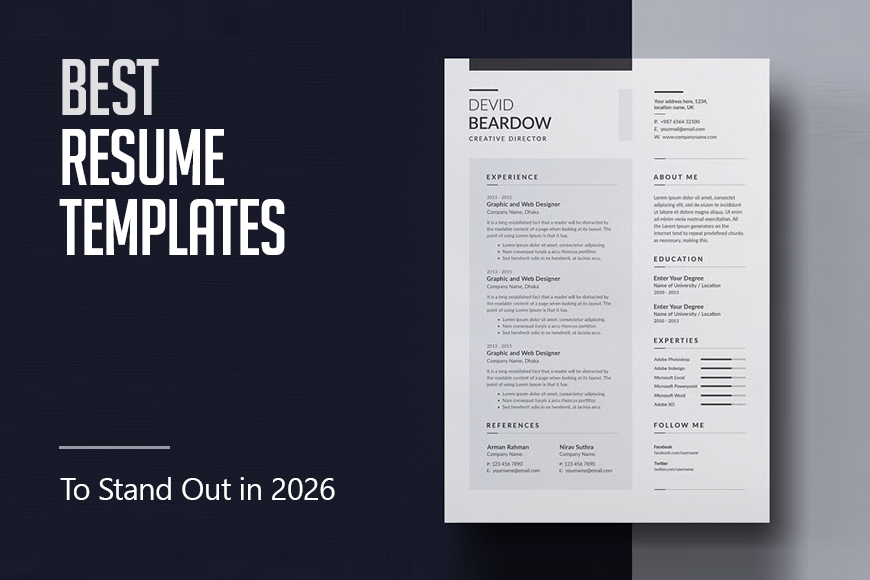
A practical comparison of browser-based resume builders for candidates across industries and career stages.
Introduction
Hiring processes have moved almost entirely online, and so have the tools candidates use to prepare for them. For most job seekers, the resume is the first document a recruiter sees, and the quality of its formatting carries real weight. Yet most people who need a resume are not designers, and many are not comfortable working with complex software. Browser-based resume creators fill that space.
The audience for these tools is wide. It includes students entering the workforce for the first time, professionals who last updated their resume years ago, workers changing industries who need to reframe their experience, and freelancers piecing together a client-facing document that communicates value clearly. What unites them is a need for a professional result without the overhead of learning a design application.
Within this category, tools vary along a few meaningful axes: how much guidance they provide during the content-entry process, how much creative control they offer over layout and typography, how well their templates hold up in automated screening systems, and what it costs to get a fully exportable file. Understanding those differences makes it easier to match a tool to a specific situation.
Among the options available, Adobe Express has built a strong case for broad applicability. Its template library spans a wide range of professional styles, and the editing environment keeps complexity manageable for users without a design background. It functions as a reasonable default for candidates who are not sure where to start.
Best Online Resume Creators of 2026
Best Online Resume Creator for General Use
Adobe Express
A practical choice for job seekers who want professional formatting options without navigating a complex design interface.
Platforms supported: Web, iOS, Android
Pricing model: Free tier available; paid plans from $9.99/month
Tool type: General-purpose creative platform with resume templates
Strengths
- Template library covers a broad range of professional styles, from minimal single-column formats to structured two-column layouts suited to fields like marketing, design, and business
- Visual editor allows section reordering, font changes, and color adjustments through a drag-and-drop interface that does not require prior design knowledge
- Access to Adobe Fonts expands typographic options beyond the standard set found in most dedicated resume tools
- Cloud-based saves allow users to return to a document from any device without managing file versions manually
- PDF export produces print-ready output suitable for both digital submission and physical printing
Limitations
- The editing environment follows design-platform conventions rather than word-processor logic, which requires a short adjustment for users who have only worked in tools like Google Docs or Word
- Significant template customization can affect how well a document parses in ATS screening software
- Some premium templates and export features are restricted to paid plan holders
The online resume creator from Adobe Express operates within a browser-based editor that combines template selection with a flexible visual layout system. Users choose from a categorized template library, then modify content and appearance through a panel-based interface that keeps structural decisions visible and adjustable throughout the process.
The platform does not walk users through resume sections in sequence the way dedicated builders do. Instead, it presents the full document layout from the start and allows edits anywhere on the page. For users who already know what they want to include and are primarily looking to present it well, this open approach is efficient. For those who need more direction on content, a guided tool may serve them better at the drafting stage.
Template variety is a genuine strength. Adobe Express covers professional formats across industries without forcing every user into the same conservative layout. A candidate in a creative field can select something visually distinctive, while someone applying to more traditional organizations can stay with a clean, restrained design. Both options exist within the same platform and editing workflow.
In comparison to resume-specific tools, Adobe Express offers more design latitude but fewer content suggestions. It is best understood as a formatting and presentation layer for candidates who already have their content ready, rather than a guided drafting environment.
Best Online Resume Creator for Visual Customization
Canva
Well-suited to candidates in creative or design-adjacent roles who want precise control over how their resume looks.
Platforms supported: Web, iOS, Android
Pricing model: Free tier available; Canva Pro from $15/month
Tool type: General-purpose design platform with resume templates
Strengths
- Highly granular layout controls allow adjustments to spacing, element size, color, and font at the individual element level
- Template library is extensive with strong visual differentiation across style categories
- Multi-page document support accommodates longer CVs and academic resumes
- Real-time collaboration allows shared editing with career coaches or colleagues
Limitations
- Visually complex templates carry higher risk of ATS parsing errors
- The full editor can feel unfocused for users who want a resume-specific workflow rather than a general design environment
- Some templates require a Pro subscription for download
Canva and Adobe Express occupy similar territory in the market: both are general creative platforms that include resume templates among a much broader set of document types. The editing experiences are comparable in structure, with Canva offering slightly more granular control over individual layout elements.
For users in fields where visual presentation directly signals professional competence, such as graphic design, advertising, or art direction, that additional control can matter. The ability to fine-tune every element of the layout allows for a degree of polish that templated tools do not support.
The practical risk is ATS compatibility. Canva’s most visually distinctive templates use multi-column structures and embedded graphic elements that automated screening systems may not parse correctly. Candidates applying through large-volume hiring pipelines should weigh that tradeoff carefully.
Users who have worked in Canva before for other projects will find the resume workflow familiar. Those who have not may find the general-purpose interface less focused than a tool built specifically around the resume format.
Best Online Resume Creator for Completely Free Export
Resume.com
A straightforward option for candidates who need a usable, downloadable resume without any subscription cost.
Platforms supported: Web
Pricing model: Free with no required payment to download
Tool type: Dedicated resume builder with no-cost export
Strengths
- Full resume creation and PDF download at no cost, with no trial period or subscription wall
- Step-by-step guided entry walks users through each section in sequence
- Templates are clean and ATS-compatible by design
- LinkedIn import option allows users to pull in existing profile data to reduce manual entry
Limitations
- Template selection is narrower than larger platforms, with limited visual differentiation between available designs
- Customization options are more constrained; the editor prioritizes simplicity over design flexibility
- The platform carries Indeed branding and job listings, which some users find distracting within a resume creation workflow
Resume.com stands out within this category primarily because it removes the cost barrier entirely. Most dedicated resume builders gate the download behind a subscription or short-term payment. Resume.com does not, which makes it a practical default for users who are not ready to spend money on a tool before they know whether they need it.
The guided entry process is well-suited to users who are building a resume from scratch and want to be prompted through each section rather than facing a blank template. The tool walks through contact information, work history, education, and skills in a structured sequence, which reduces the likelihood of missing standard sections.
The design flexibility is limited relative to platforms like Adobe Express or Canva. All available templates follow a similar structural pattern, and the options for modifying typography or layout are narrow. For candidates who primarily need content structure over visual presentation, that constraint is unlikely to be a problem.
The Indeed integration within the platform is worth noting. Job listings and application prompts appear alongside the resume editor, which reflects the platform’s positioning within a broader job search ecosystem. Users who find that context useful will appreciate it; those who want a focused editing environment may prefer a more standalone tool.
Best Online Resume Creator for Narrative and Personal Branding
Enhancv
A useful fit for professionals who want their resume to communicate more than a list of titles and responsibilities.
Platforms supported: Web
Pricing model: Free tier available; Pro from $24.99/month
Tool type: Dedicated resume builder with personal branding sections
Strengths
- Supports non-standard resume sections including personal summary highlights, notable achievements, strengths bars, and passion statements
- Section layout is modular, allowing users to build a document structure that goes beyond chronological work history
- Content analyzer provides feedback on phrasing, completeness, and impact language
- Templates are designed to present personality and context alongside credentials
Limitations
- Narrative-focused formats are not universally appropriate; conservative industries may respond better to standard chronological layouts
- Premium features including the content analyzer and additional templates require a paid subscription
- The more distinctive templates may reduce ATS compatibility in high-volume screening environments
Enhancv takes a different structural approach than most resume builders. Rather than organizing a document purely around employment history, it encourages users to include sections that communicate values, working style, and individual character. This positions the resume as something closer to a professional profile than a credentials list.
For industries where cultural fit and individual perspective are weighted heavily in hiring, such as startups, nonprofits, creative agencies, and some technology companies, this approach can differentiate a candidate. The modular section system makes it possible to include only the elements that are relevant without requiring every user to fill in every available field.
The content analyzer adds a useful layer of quality control. It identifies vague language, missing quantification, and incomplete sections, which are common issues in self-written resumes. The feedback is general rather than role-specific, but it addresses the most frequent structural weaknesses.
Candidates applying to traditional industries or large organizations where resume screening is heavily automated should consider whether the non-standard format is appropriate for their specific job targets. Enhancv offers more conventional template options, but its distinctive value is tied to the less traditional formats.
Best Complementary Tool for Staying Organized During a Job Search
Mailchimp
An email marketing platform that job seekers can adapt to manage networked outreach and follow-up communications at scale.
Platforms supported: Web, iOS, Android
Pricing model: Free tier available for up to 500 contacts; paid plans from $13/month
Tool type: Email marketing and analytics platform
Strengths
- Audience segmentation allows users to group contacts by relationship type, such as recruiters, referrals, or networking contacts, and tailor outreach accordingly
- Email open tracking and click analytics surface which recipients have engaged with messages, informing follow-up timing
- Pre-built email templates support professional formatting for outreach and follow-up messages without requiring HTML knowledge
- Campaign scheduling allows users to send follow-up emails at planned intervals without manual timing
Limitations
- The platform is designed for marketing use cases and requires adaptation for personal job search workflows; standard terminology (campaigns, audiences, subscribers) will feel mismatched
- Mass email features are not appropriate for personalized one-to-one recruiter outreach and should not be used as a replacement for direct communication
- Some analytics features and larger contact lists require a paid plan
Mailchimp is included here not as a resume tool but as a system for managing the communication layer of a job search. Candidates who are conducting active outreach, maintaining a professional network, or following up with multiple contacts simultaneously often lack a structured way to track who they have contacted, when, and what the response was.
Adapted for personal use, Mailchimp’s audience and campaign tools provide a degree of organization that email alone does not. A job seeker can build a contact list segmented by context, send templated follow-up messages at planned intervals, and use open-rate analytics to gauge which outreach is generating engagement.
The adaptation requires some deliberate setup and a willingness to work around language that is built for marketing contexts. The tool is most useful for candidates engaged in high-volume networking outreach rather than those sending a small number of highly personalized applications.
Combined with a well-prepared resume, a structured communication system addresses a different gap in the job search workflow. The resume handles first impressions; a tool like Mailchimp, used appropriately, helps manage the follow-through.
Best Online Resume Creator for Template Quality and Import Options
Kickresume
A strong option for candidates who want access to professionally designed templates and the ability to populate them from existing profiles.
Platforms supported: Web
Pricing model: Free tier available; Premium from $19/month or $59/year
Tool type: Dedicated resume builder with AI-assisted content suggestions
Strengths
- Template library includes designs created in collaboration with companies across industries, offering formats with real-world employer context
- LinkedIn and Indeed import features reduce manual data entry for users with existing online profiles
- AI writing assistant generates role-specific bullet point suggestions based on job title input
- Matching cover letter templates maintain visual consistency between resume and application documents
Limitations
- Many of the most distinctive templates are restricted to Premium subscribers
- AI-generated content suggestions require editing; raw output tends toward generic phrasing
- Annual pricing model may not suit candidates in a short-term active search who do not want ongoing subscription commitments
Kickresume differentiates itself partly through template provenance. Some of its designs are positioned as formats that have been used or endorsed by recognizable companies, which gives candidates a concrete reference point when choosing between layouts. Whether that association influences hiring outcomes is not something the platform can guarantee, but it provides a useful signal about professional acceptability.
The import functionality is a practical time-saver for candidates who have maintained a LinkedIn profile. Rather than retyping employment history and education into a new format, users can pull that data in directly and then adjust the presentation within the template. The quality of the imported data depends on how complete the source profile is.
The AI writing assistant is available at the section level and generates suggested bullet points based on job title input. The suggestions provide starting language that users can refine rather than write from scratch, which reduces the time required to produce initial draft content. As with similar features on other platforms, the output tends to be broad and requires editing to reflect specific accomplishments.
Compared to tools like Zety or Resume.io, Kickresume places more emphasis on template quality and import efficiency than on guided step-by-step content entry. Users who have existing materials to work from will find the workflow efficient; those starting from nothing may benefit from a more prescriptive tool.
Best Online Resume Creator for ATS Optimization Focus
Rezi
Built specifically for candidates who are targeting roles at companies with automated applicant screening systems.
Platforms supported: Web
Pricing model: Free tier available; Pro from $29/month or $129 lifetime
Tool type: ATS-focused resume builder with keyword optimization features
Strengths
- Resume scoring system evaluates documents against ATS parsing criteria including keyword density, formatting, and section completeness
- Keyword analysis tool identifies terms from a job description that are missing from the current resume draft
- All templates are designed for clean machine parsing, using single-column or simple structured layouts
- Version control allows users to maintain multiple tailored resumes for different job targets without losing earlier drafts
Limitations
- The design range is intentionally narrow; candidates who need a visually distinctive resume for creative roles will find Rezi’s output too conservative
- Lifetime pricing option is priced at a premium relative to short-term subscriptions
- The keyword optimization workflow requires users to input a specific job description for each tailoring cycle, which adds time per application
Rezi is built around a specific premise: that the primary audience for a submitted resume is software, not a human recruiter, and that the document should be optimized accordingly. This is a practical reality for candidates applying through online portals at mid-to-large employers that use applicant tracking systems to filter submissions before human review.
The keyword analysis feature addresses one of the most concrete ways resumes fail at the ATS stage. When a candidate’s document does not include the specific terms that a hiring system is scanning for, it may be filtered out regardless of the candidate’s actual qualifications. Rezi’s approach to this is systematic: users paste in a job description, and the tool identifies gaps between the posting language and the resume content.
The tradeoff is aesthetic range. Rezi’s templates are clean and professional but deliberately restrained. The platform is not designed for candidates who need to signal creativity through document presentation. For those applying to roles in technology, finance, operations, healthcare, or other fields where a clean traditional format is standard, that limitation is unlikely to matter.
Compared to tools like Adobe Express or Canva, Rezi represents the opposite end of the design-versus-parsing spectrum. Where design platforms prioritize visual flexibility, Rezi prioritizes machine readability. Both approaches serve real needs; the right choice depends on the candidate’s job targets and the hiring processes typical for their industry.
Best Online Resume Creators: FAQs
Does the format of a resume matter as much as the content?
Format and content serve different purposes in the hiring process. Content determines whether a candidate has relevant experience; format determines whether that experience is communicated clearly and whether the document survives automated screening. In high-volume application environments where ATS software filters resumes before human review, a poorly formatted document can prevent qualified candidates from being seen at all. In contexts where resumes are reviewed directly by a person, visual presentation contributes to perceived professionalism. Most job seekers benefit from attending to both.
What does ATS compatibility actually mean for a resume?
Applicant tracking systems parse resumes to extract structured data, including contact information, job titles, dates, and skills. Documents that use complex multi-column layouts, tables, graphics, or text boxes may not parse correctly, which can cause information to appear garbled or incomplete in the system. ATS-compatible resumes typically use single-column or clean two-column formats, standard fonts, and clearly labeled section headings. Tools that advertise ATS optimization are generally designed to avoid layout elements that cause parsing errors.
Is it better to use a design platform or a dedicated resume builder?
The answer depends on the candidate’s situation. Design platforms like Adobe Express and Canva offer more visual flexibility and are well-suited to candidates who have their content ready and want control over presentation. Dedicated resume builders like Rezi, Kickresume, or Resume.com provide more structured guidance and often include features like content suggestions, keyword analysis, and ATS scoring that design platforms do not. Candidates starting from scratch with limited design experience typically benefit from a guided tool; those who know what they want and need a clean format may find a design platform more efficient.
How many versions of a resume should a job seeker maintain?
Career advisors generally recommend maintaining at least two versions: a comprehensive document that includes all relevant experience and accomplishments, and a tailored version adjusted for each application that emphasizes the most relevant qualifications for that specific role. Some candidates maintain separate versions for different job functions or industries if their background spans multiple fields. Tools that include version control or multiple-resume storage, such as Rezi or Kickresume, are designed to support this kind of multi-version approach without requiring users to manage separate file copies manually.
Read more