When I built my first WordPress website, I thought success would come from installing the right theme and publishing a few posts. It didn’t.
What actually changed everything for me was building a clear system—a repeatable process that focused on performance, content, and scalability from day one.
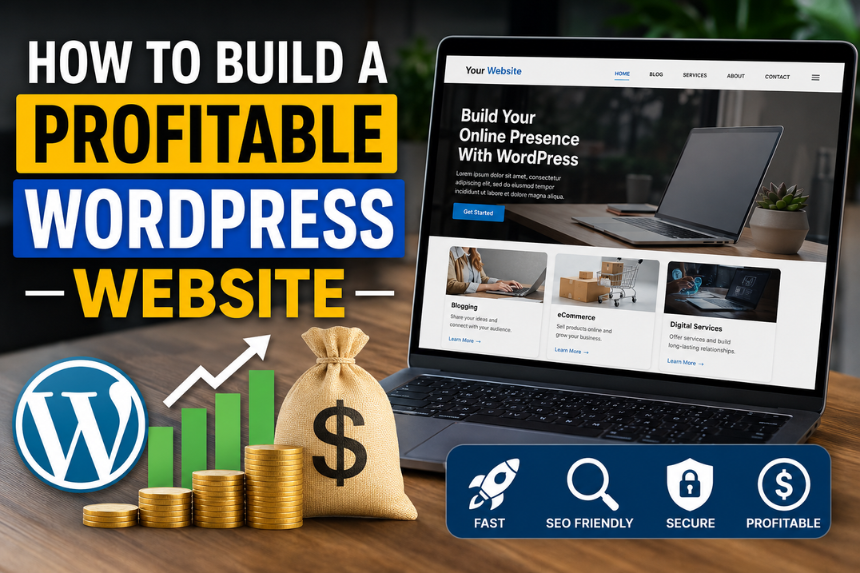
If you’re trying to build a profitable WordPress site in 2026, this is the exact approach I use now. It’s simple, practical, and designed to help you avoid the mistakes that slow most people down. This is essentially how I build a profitable WordPress website step-by-step without overcomplicating things.
Why Most WordPress Websites Never Make Money
Before I explain what works, let me quickly share what doesn’t.
Most WordPress sites fail because:
- They focus too much on design and not enough on strategy
- They publish random content without targeting keywords
- They ignore performance and user experience
- They rely on too many plugins
I’ve made all of these mistakes. The good news is they’re easy to fix once you know what to focus on.
My Step-by-Step Process to Build a WordPress Website That Works
Over time, I refined my workflow into a simple system. Every site I build now follows these steps.
1. Start With a Clear Niche
I don’t build “general” websites anymore.
Instead, I pick a niche that:
- Has search demand
- Solves a specific problem
- Allows content expansion
The more focused your niche is, the easier it is to grow traffic.
2. Choose Lightweight Hosting and Theme
Speed matters more than anything.
I always:
- Use fast, reliable hosting
- Pick a lightweight theme
- Avoid unnecessary features
A clean foundation makes everything easier later.
3. Set Up Only Essential Plugins
I keep my plugin stack minimal:
- SEO plugin
- Caching plugin
- Security plugin
- Backup plugin
That’s it.
Earlier, I used to install plugins for everything. Now I only install what’s necessary—and my sites run much faster.
How I Create Content That Actually Ranks
This is where most people struggle.
Publishing content is easy. Publishing rankable content is different.
Target the Right Keywords
I focus on:
- Low-competition keywords
- Long-tail search queries
- Questions people are already asking
This helps me rank faster without needing huge authority.
Write for Users First, SEO Second
I used to over-optimize everything.
Now, I:
- Write naturally
- Answer questions clearly
- Keep paragraphs short and readable
When content is genuinely helpful, SEO follows.
Structure Content Properly
Every blog I write includes:
- Clear headings (H1, H2, H3)
- Logical flow
- Internal linking
This improves both user experience and search rankings.
How I Optimize WordPress for Speed and Performance
A fast website keeps users engaged and improves rankings.
Here’s what I do on every site:
Optimize Images Before Uploading
Large images slow down websites. I always
- Compress images
- Use modern formats
- Avoid oversized files
Enable Caching and Compression
Caching improves webpage load time dramatically.
Once I set it up correctly, my pages load almost instantly.
Keep Everything Clean
I regularly:
- Delete unused plugins
- Clean the database
- Remove unnecessary scripts
This keeps the site lightweight and efficient.
How I Monetize My WordPress Websites
Once traffic starts growing, monetization becomes much easier.
Here are the strategies I use:
Affiliate Marketing
I recommend tools and services I personally use.
This works best when your content is helpful and trustworthy.
Display Ads
Once traffic increases, ads become a passive income source.
Digital Products
I also create:
- Guides
- Templates
- Resources
This gives me full control over revenue.
The Role of Smart Resource Selection
One of the biggest lessons I’ve learned is this:
Your tools matter.
Using the wrong plugins or unreliable resources can slow your site and waste your time. That’s why I rely on platforms like WPshope for curated WordPress tools and plugin insights when I want to make faster, smarter decisions without endless research.
Mistakes I Avoid Now (That Cost Me Months Earlier)
If you want to move faster, avoid these:
Overcomplicating Everything
Simple systems always win.
Ignoring User Experience
If your site is confusing, visitors won’t stay.
Chasing Trends Instead of Strategy
Consistency beats trends every time.
Not Thinking Long-Term
I now build sites with scalability in mind from the beginning.
My Simple Workflow That Saves Me Hours
This system keeps everything focused and efficient. It reflects how I build a profitable WordPress website today using a repeatable process instead of guessing what works.
Here’s the exact process I follow today:
- Choose a niche
- Set up hosting and theme
- Install essential plugins
- Plan content strategy
- Publish optimized content
- Improve speed and UX
- Monetize strategically
This system keeps everything focused and efficient.
What Actually Made the Biggest Difference for Me
If I had to narrow it down, these three changes changed everything:
- Focusing on fewer, better tools
- Writing content with real value
- Building a repeatable system
Once I stopped guessing and started following a process, my results improved quickly.
The Strategy That Turns a Simple Site Into a Real Income Asset
If there’s one thing I’ve learned, it’s this—success with WordPress doesn’t come from doing more, it comes from doing the right things consistently. This is exactly how I build a profitable WordPress website that continues to grow without unnecessary complexity.
Focus on building a fast, clean website. Create content that genuinely helps people. I also picked up several performance and security optimization ideas from pentest begins helped me streamline my workflow and avoid common website mistakes. Stick to a system that you can repeat without overthinking every step.
You don’t need dozens of plugins, complicated strategies, or endless experimentation.
Start simple, stay consistent, and improve as you go.
That’s the exact approach that turned my WordPress sites from random projects into reliable income streams—and it can do the same for you.
Frequently Asked Questions (FAQs)
It usually takes 3 to 6 months if you stay consistent with quality content and proper SEO.
No, you can start with free tools. Paid tools help you scale faster but aren’t required initially.
I recommend 2 to 3 high-quality posts per week instead of publishing low-quality content daily.
Yes, WordPress is still one of the best platforms for building traffic and monetizing content online.