Creating polished screen recordings is not only about good editing or expensive equipment. Often, professional-quality videos come from a smooth recording process, clear presentation, and dependable tools. When recording is simple and reliable, users can focus more on communication and less on technical distractions.
That is where iTop Screen Recorder becomes helpful. It allows users to approach screen recording with confidence, whether they are making tutorials, recording gameplay, preparing online lessons, or sharing business presentations.
Turning Everyday Tasks into Professional Content
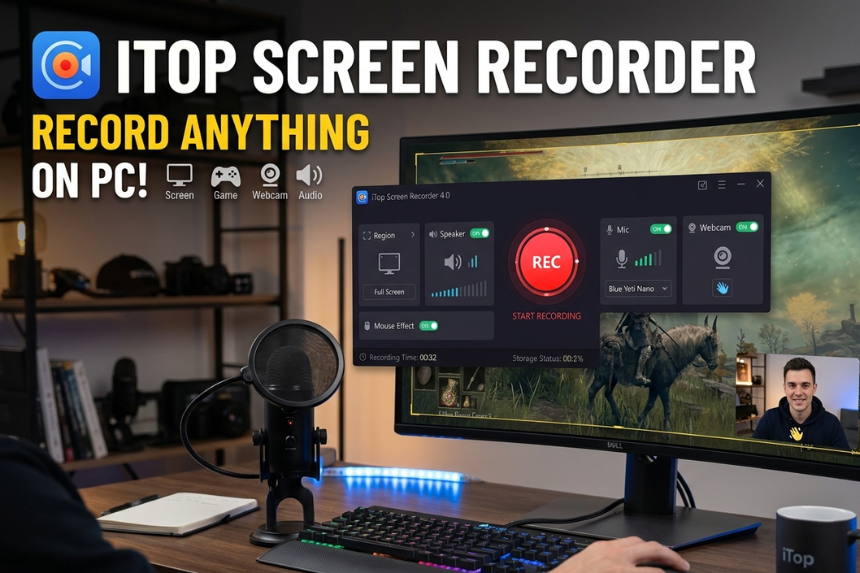
iTop Screen Recorder captures screen activity, webcam footage, microphone input, and system audio all in one place. This combination lets users create complete video content without needing several recording tools.
The software supports full-screen capture as well as custom recording areas, making it useful for different situations. A content creator can focus on a single application during a tutorial. A gamer can record live gameplay without interrupting performance. A teacher can save lessons for students who need flexible learning options.
Professional-looking content often depends on clarity. By letting users control what shows on screen and how audio is captured, iTop Screen Recorder makes recordings feel more organized and easier to follow.
Why Smooth Recording Improves Quality
Many recording problems start before editing even begins. Lag, poor audio sync, or unclear visuals can lower a video’s overall quality. Fixing these issues later often takes extra time.
iTop Screen Recorder helps prevent these problems by providing stable performance during recording sessions. Users can capture videos more smoothly while keeping clear audio quality. This creates a solid foundation before editing starts.
For professionals and creators who publish regularly, this reliability is crucial. A stable recording workflow saves time, reduces frustration, and supports consistent output.
A Flexible Solution for Different Users
The demand for screen recording has grown far beyond gaming videos. Businesses now depend on recorded presentations and training materials. Educators create lessons that students can watch at their own pace. Marketers use visual demonstrations to explain products better.
Content creators continue to use screen recording for tutorials, software reviews, reaction videos, and walkthroughs. In each case, the goal is the same: present information clearly while keeping the audience engaged.
iTop Screen Recorder meets these different needs without requiring advanced technical skills. Its balance between simplicity and functionality makes it easy for beginners while still being valuable for experienced users.
How to Use iTop Screen Recorder
- Download and open iTop Screen Recorder
- Select the recording mode and screen area
- Enable microphone, webcam, or system audio if needed
- Start recording your tutorial, gameplay, or presentation
- Save the video and make quick edits if necessary
The process is straightforward to learn, even for first-time users.
Recording with More Confidence
Professional screen recording isn’t about making every video perfect. It’s about consistently creating clear and useful content. The right software helps users focus on ideas, demonstrations, and communication instead of technical barriers.
iTop screen recorder supports this approach by simplifying the recording experience while maintaining strong performance. For creators, educators, gamers, and professionals who want reliable results without unnecessary complexity, it provides an effective way to record with greater confidence and control.